Sharing your link
Collect submissions through your public inbox link, a website embed and an email autoresponder message, so every demo ends up in your Inbox.
Related: Overview
Your public inbox link is the main way artists send you demos and promos on Trackstack. You can share it directly, customise your public profile, embed your submission form on your website and point people who email your old demo address to your inbox.
You'll find these settings in Inbox settings under Sharing.
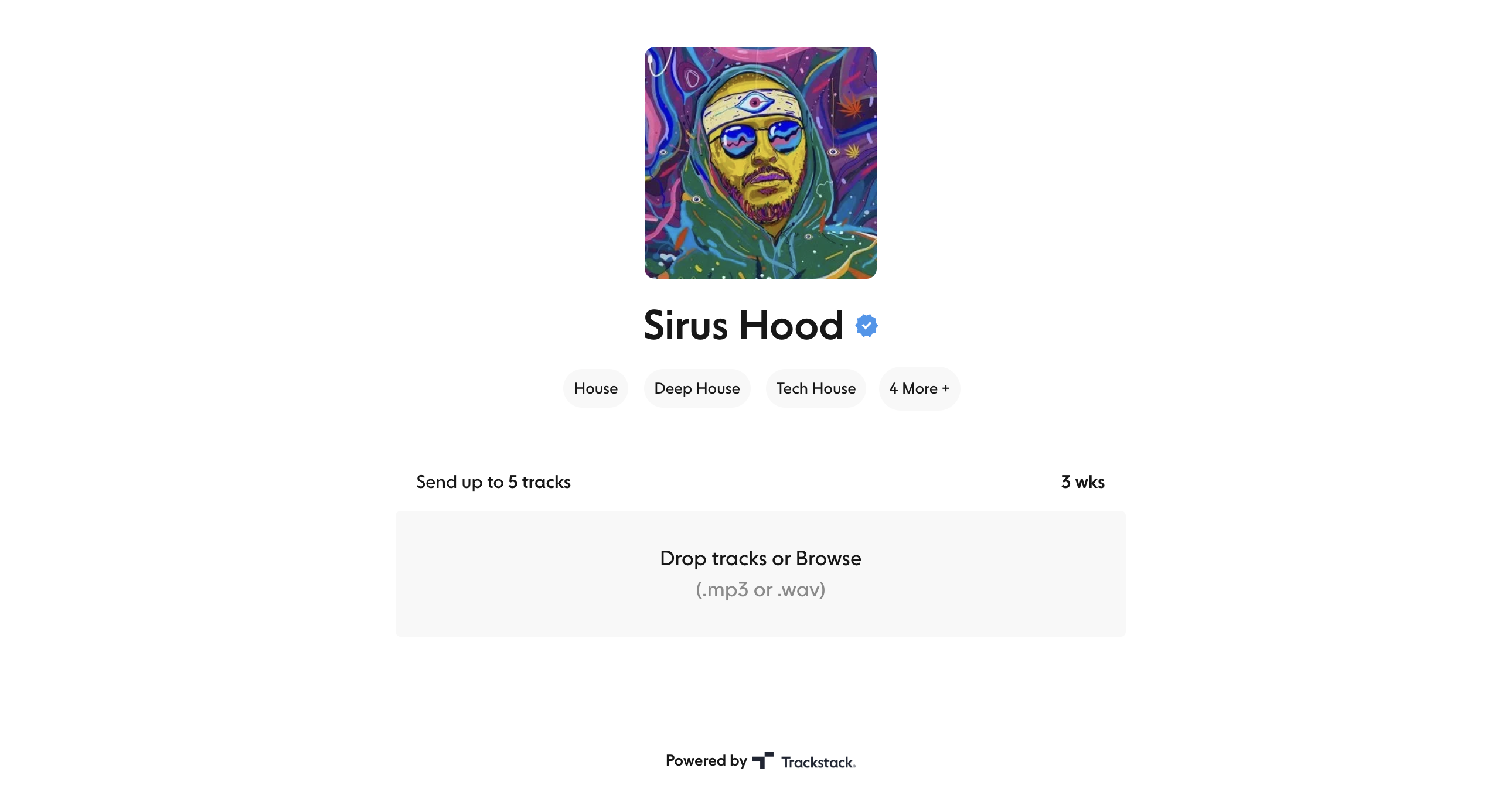
Public inbox link#
This is the link you share to receive tracks:
https://yourhandle.tstack.link
Use Copy link next to your Public Handle to grab it. The short form tstack.link/yourhandle also works and always opens your submission form directly.
Share it across:
Instagram, TikTok and X bios
Email signatures
Link-in-bio tools
Websites
Group chats
Promo mailouts
Anyone with your link can submit music unless you've added restrictions (e.g. a password, genre filtering or opening times).
For verified profiles, the handle can't be edited. If you need to change it, contact support and your profile will be re-verified.
Public description#
Add a short description (up to 500 characters) to help artists understand what you're looking for. Use it to share:
Preferred genres
Submission guidelines
Current needs (e.g. "looking for unreleased minimal/deep tech demos")
Changes save automatically.
Verification badge#
A verified inbox:
Appears higher in search
Builds artist trust
Improves submission quality
The blue badge is shown on your public inbox page. To get verified, email [email protected].
Website embed#
Embed your Trackstack submission form directly on your website, so artists can submit tracks without leaving your site.
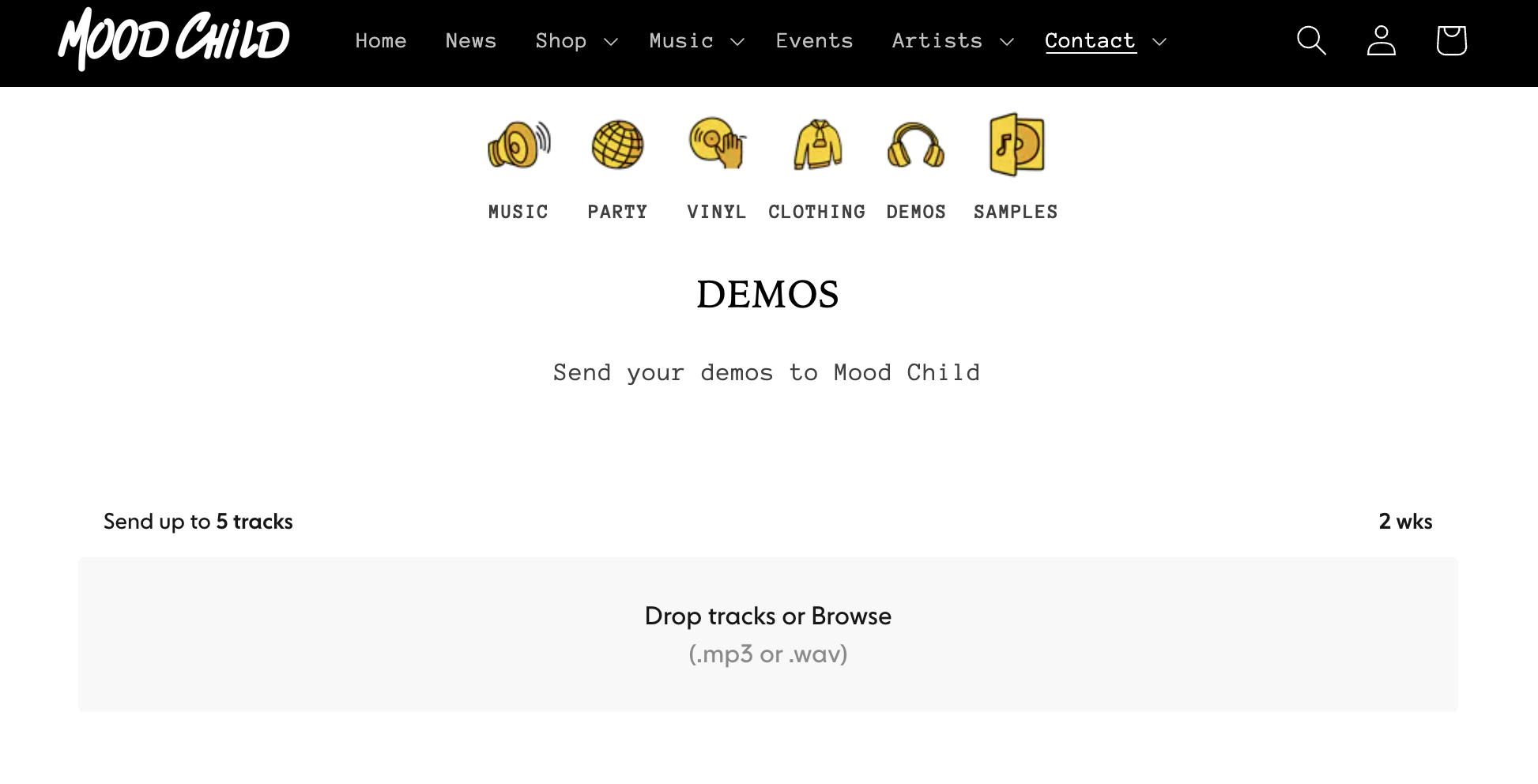
Embed code example
Copy your ready-made code from the Website Embed setting. It looks like this:
<iframe
  title="Send yourname tracks"
  src="https://tstack.app/yourhandle/embed/send?isDarkMode=false"
  style="width: 100vw; height: 100vh"
  width="100%"
  height="100%"
  scrolling="yes"
  frameBorder="0"
  allowtransparency="true"
></iframe>
Switch between light and dark mode with the Dark Mode switch above the code, or by changing the isDarkMode parameter.
Email autoresponder#
If artists still send demos to your old promo or demo email address, use an autoresponder to point them to your inbox.
Trackstack gives you a ready-made reply with your inbox link. Copy it into the auto-reply (out of office) settings of your old email account, and anyone who emails that address is sent to your Trackstack inbox.
This is perfect for:
Retiring old demo inboxes
Redirecting promo floods to Trackstack
Making sure every track ends up in one workflow
Example auto-reply message:
_Thanks for sending your tracks. Please send them to our inbox on Trackstack here: https://tstack.app/yourhandle/send_
This makes sure all submissions land in your Inbox, where you can properly review, organise and respond.
Best practices#
To get more submissions and keep a clean workflow:
Add your public link to all your social profiles
Post it during demo days or release campaigns
Embed it on your website
Add your link to EPKs and press kits
Set up the autoresponder on old inboxes
Keep your public description up to date
Sharing your link widely means you never miss great music, and Trackstack keeps it all organised.