Directory, charts and curated lists
Find the right DJs, labels and curators to send your music to. Browse and filter the Directory, check genre Charts and open curated Lists.
Related: Overview
This page walks you through the Directory so you can find new inboxes to send your tracks to.
The Directory helps you find the right DJs, labels and tastemakers for your music. Whether you want fast reviewers, genre-specific curators or the biggest inboxes in your scene, it gives you the visibility and filters to target your sends.
Open Directory under Send in the sidebar. The Directory is available on paid plans. It has three tabs:
Directory: browse all listed inboxes with filters
Charts: top and rising inboxes by genre
Lists: curated collections of inboxes with specific traits
Directory#
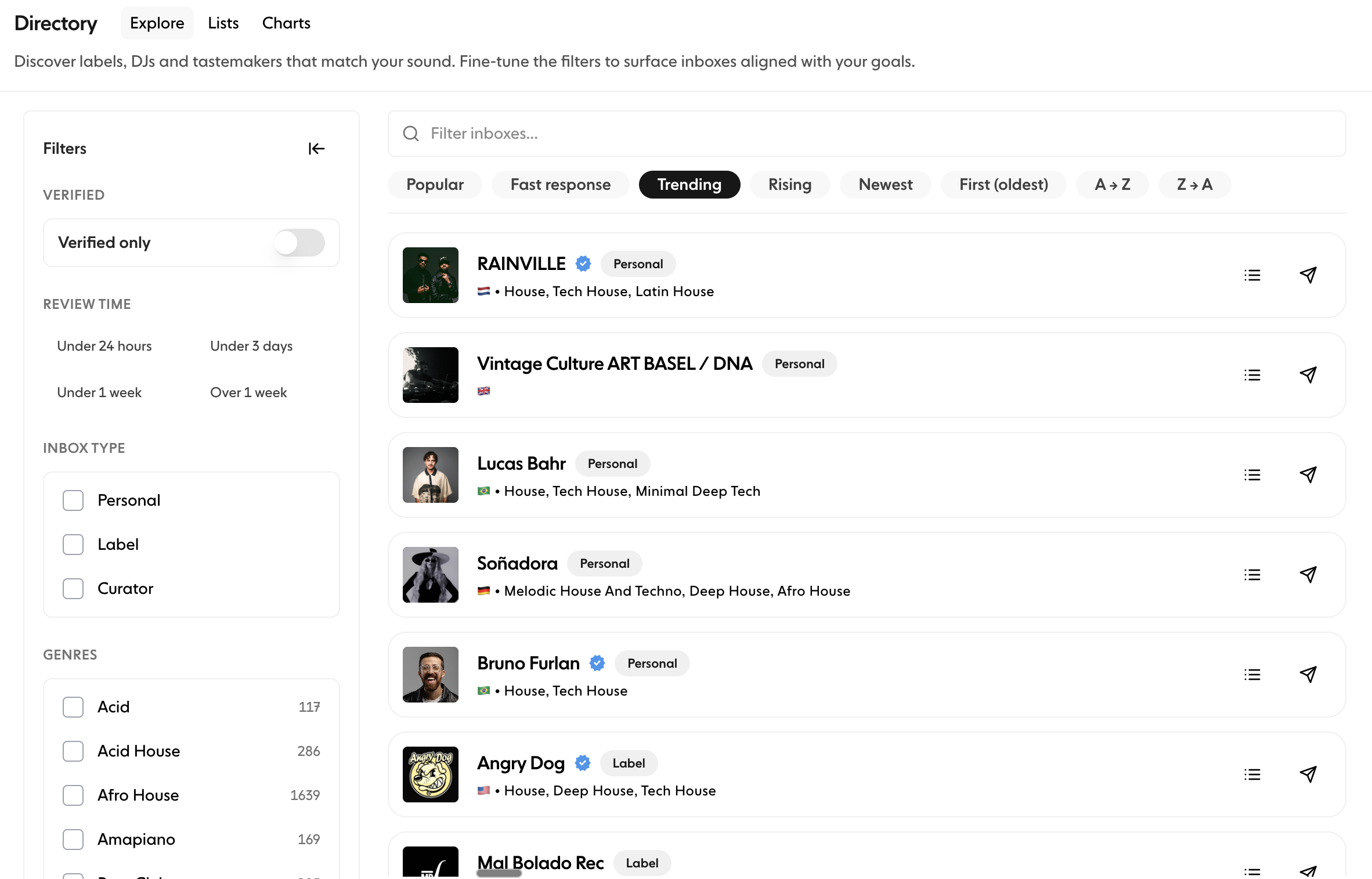
The Directory tab lists every inbox that appears in the Trackstack directory. Use it to find labels, DJs and curators who match your sound and goals. Search for artists and labels by name from the search box at the top.
Filtering inboxes#
Open Filter by to narrow the list. Filters are marked PRO and need a paid plan.
Verified only: show only inboxes with a verified badge
Review time: how recently the inbox reviewed music
Active this week
Active this month
Active in 90 days
Inactive 90+ days
Inbox type
Artist
Label
Curator
Genres: click a genre once to include it, twice to exclude it, and a third time to clear it
Country
Filtering helps you target the inboxes most likely to engage with your music.
Sorting#
By default the Directory is sorted For You, a personalised order based on your workspace's send history. When you search, results are ranked by Best match. You can also sort by:
Trending
All-time
Fast response
Newest
First (oldest)
A → Z
Z → A
Inbox rows#
Each inbox shows:
Profile name
Verification badge (if verified)
Inbox type (Artist, Label or Curator)
Country
Accepted genres
When you last sent to it, if you sent recently
A list button to add the inbox to one of your Lists
A Send button to send it a track
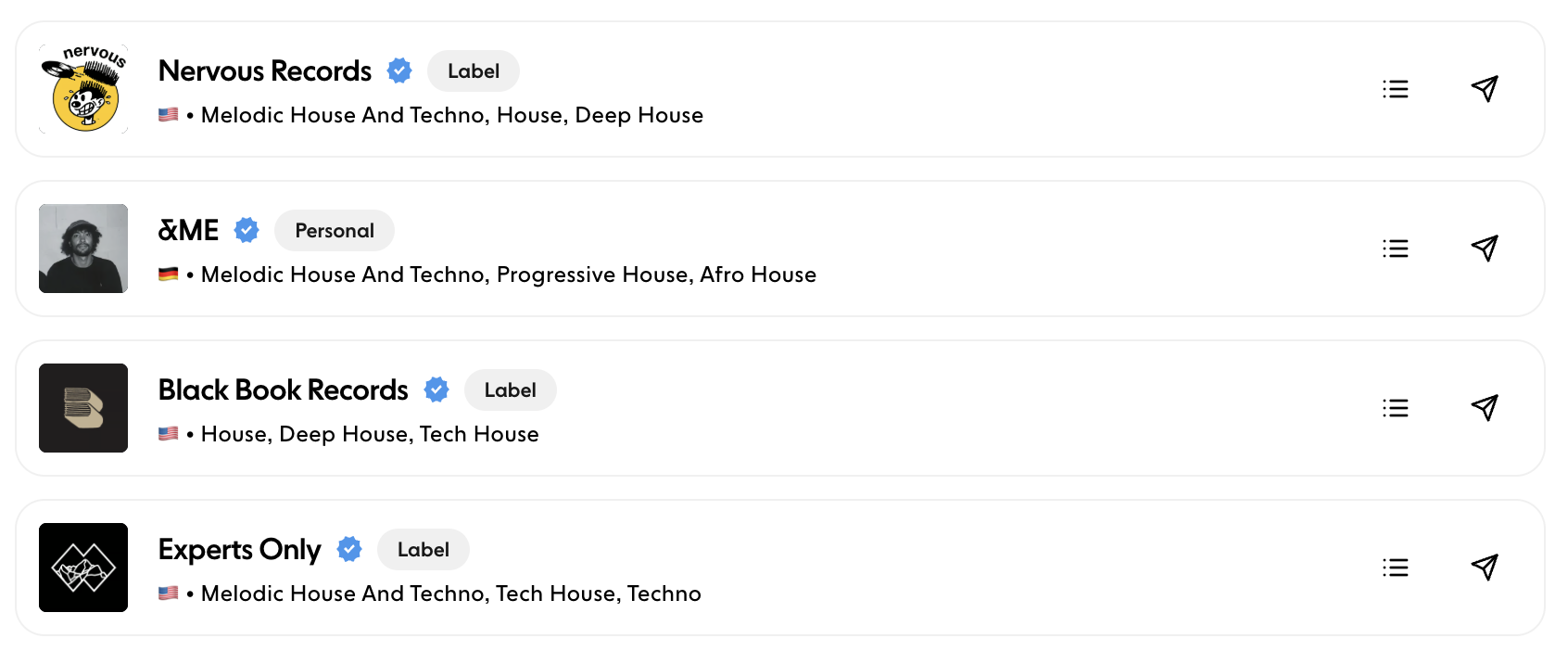
This makes it easy to scan and pick relevant inboxes.
Charts#
The Charts tab ranks inboxes by genre, so discovery is specific to your sound.
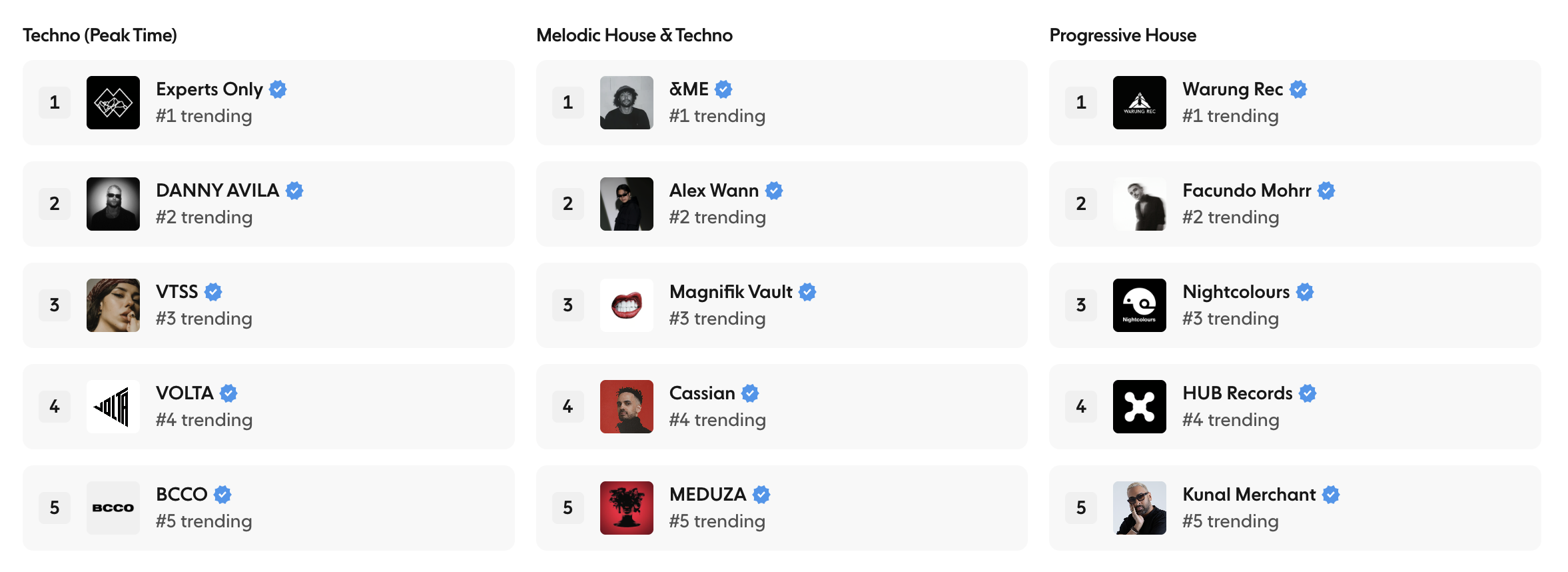
Genre charts rank inboxes that have reviewed music in the last 90 days by how many tracks they have received in that genre.
Rising charts show inboxes gaining momentum right now, by genre.
Each chart card previews the top five inboxes with their verification badges. Click View chart to see the full chart. Use the search box to find a chart by genre (for example Techno (Peak Time), Melodic House & Techno, Progressive House, House or Tech House).
Charts help you identify:
Who is gaining momentum
Which tastemakers are most active in your genre
Good targets for new tracks and promos
Lists#
The Lists tab shows curated collections of inboxes grouped by traits or behaviour. They help you find strong opportunities without building your own filters.
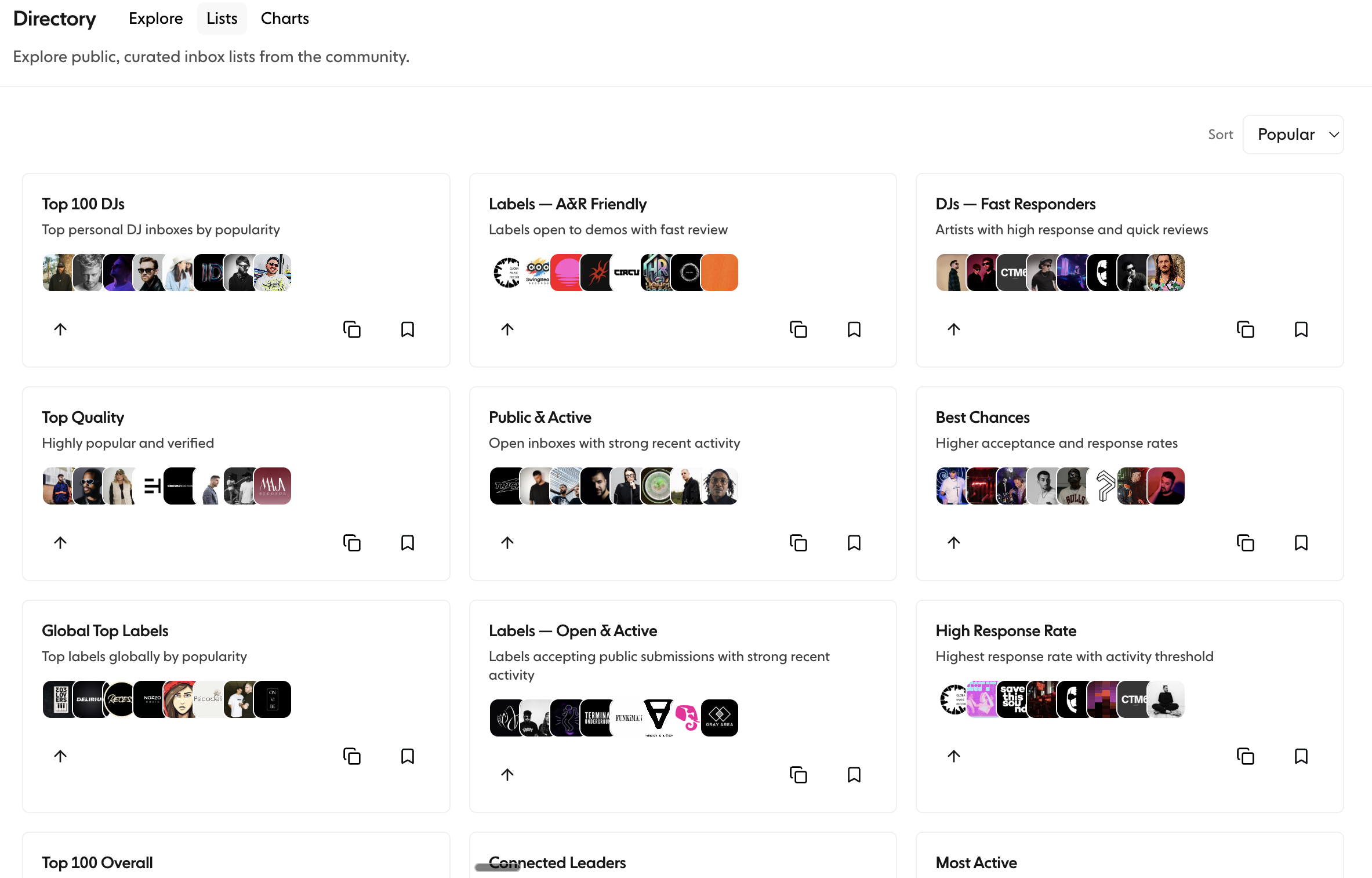
Examples include:
Top 100 DJs: top artist and DJ inboxes by popularity
Global Top Labels: top labels globally by popularity
Top Quality: highly popular and verified inboxes
Public & Active: open inboxes with strong recent activity
Best Chances: inboxes with higher acceptance and response rates
High Response Rate: the highest response rates among active inboxes
Most Active: inboxes with the highest recent submission volume
There are also lists for DJs who respond fast and for labels that are open to demos.
Each list:
Shows preview avatars of the inboxes in it
Can be opened to browse the full set
Can be saved, or copied to your own Lists
Search lists by name, or sort them by Popular or Newest.
To build and manage your own lists, see the Lists article in Your Network.
Why use the Directory#
The Directory helps you:
Find inboxes aligned with your music
Target active and responsive tastemakers
Improve your chances of feedback and support
See who is trending in your genre
Build lasting professional relationships
With the Directory, Charts and Lists, you have everything you need to send your tracks strategically.